Using the Extension
-
Navigate to the punchout site and add items to your shopping cart.
-
While on the punchout site, open
DevTools (F12) or (Right Click -> Inspect). -
Look at the top tabs in
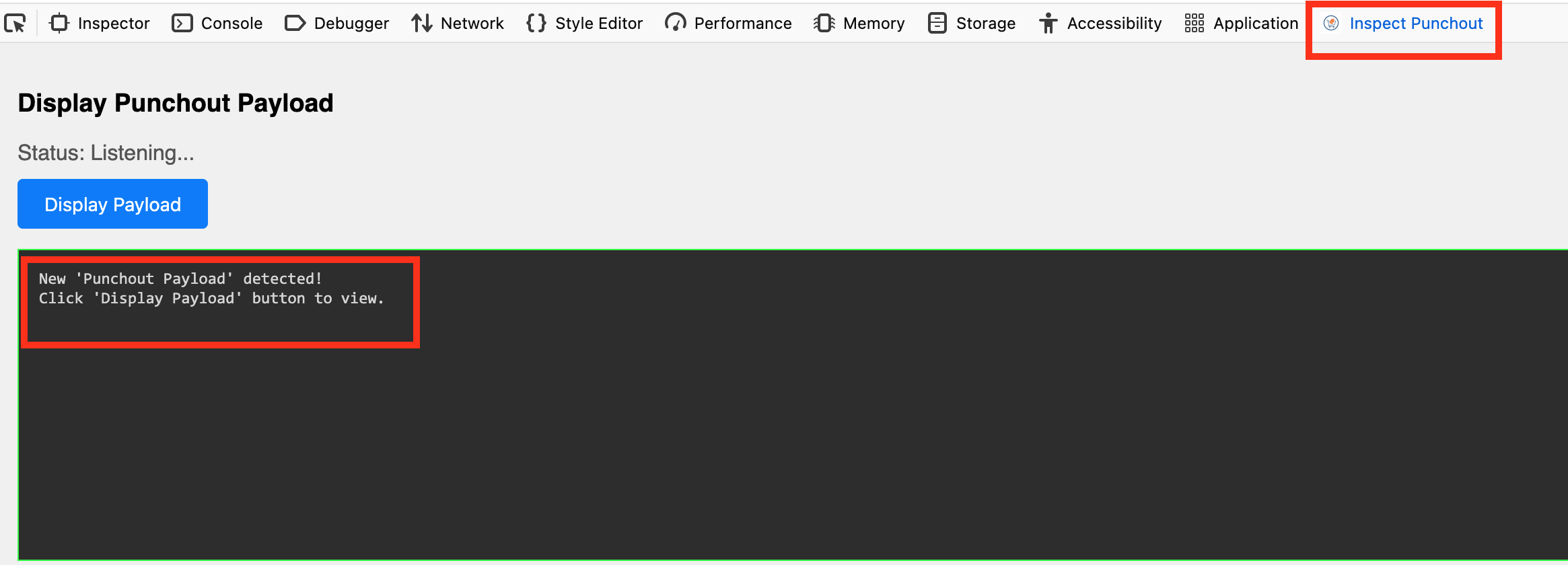
DevTools (Inspector, Console, Network...). You might need to click the>>overflow arrow to find your new tab namedInspect Punchout.
-
Click the
Inspect Punchouttab. -
Perform the action on the punchout site that triggers a return to Oracle Fusion RSSP.
-
Look at your extension panel; it should say
New Punchout Payload detected!. -
Click the
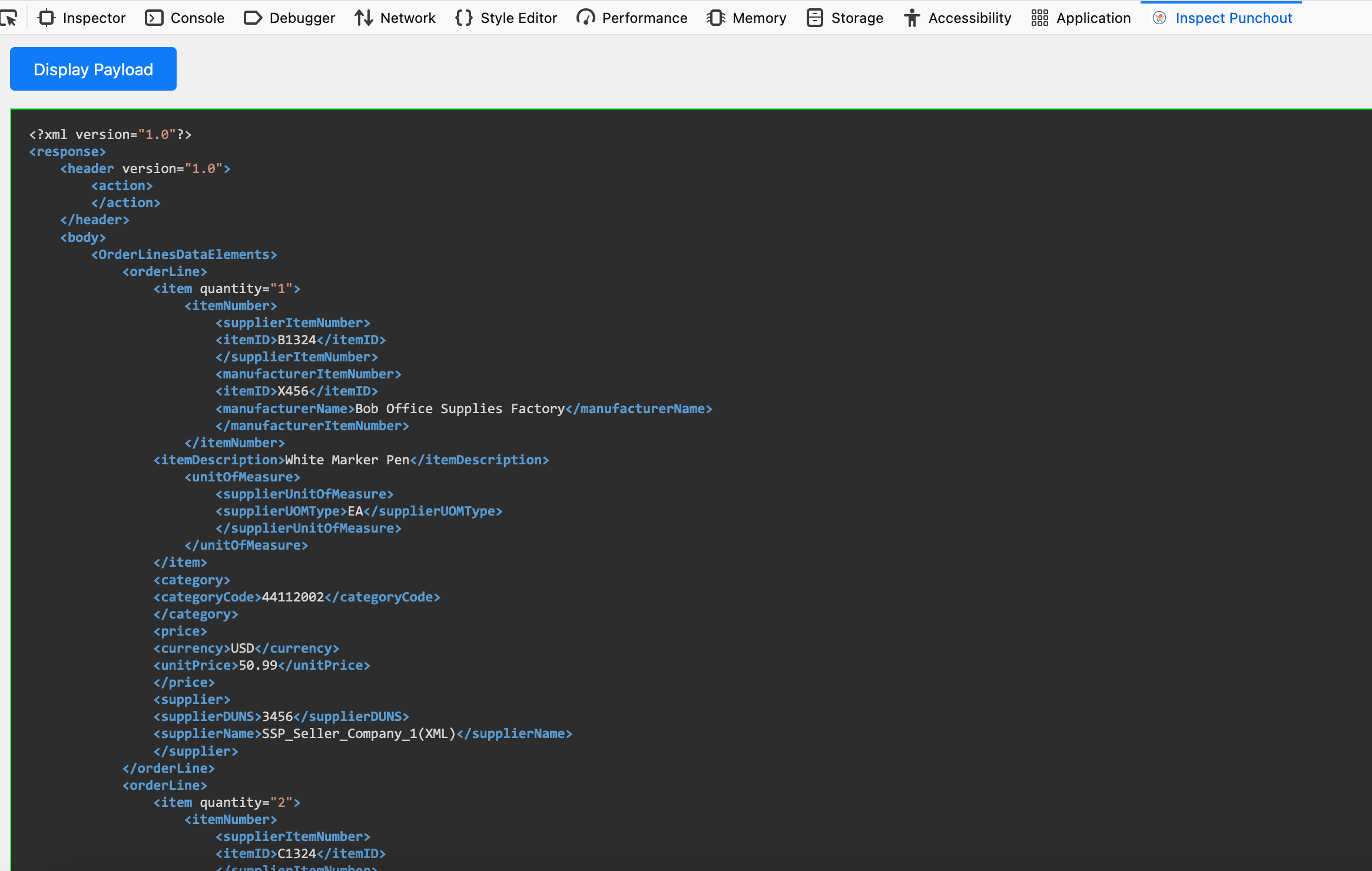
Display Payloadbutton to view the punchout cart.